Somewhere on your hard drive is a photo of a yoga mat you photographed for a listing eighteen months ago. You know it exists. You have a rough sense of the year. And you have absolutely no way of finding it except opening folders and looking.
Almost everyone assumes this is a personal failing — that better-organised people have a system. They mostly don't. What they have is a smaller library, or a tolerance for never finding anything again. The failure is structural, and once you see why, the fix becomes obvious.
The mismatch at the heart of the problem
Here is the whole problem in one sentence: you remember pictures by what they look like, but computers file them by what they are called.
Your memory of that photo is visual. A green mat, rolled, on a pale background, shot from above. That is genuinely how you stored it. But the file is called IMG_4471.JPG, and it sits in a folder called 2024-09. There is not a single word anywhere in that system that corresponds to anything you actually remember.
When you type "yoga mat" into your file manager, it dutifully checks every filename for the letters "yoga mat". None contain them. It reports zero results, correctly. The search worked perfectly; there was simply no text describing the picture for it to find.
Cameras and phones generate names from counters and timestamps because that is all they can know for certain at the moment of capture. Downloads inherit whatever the server called them — strings like U2EgGd.webp or e9b4bcd03bd80a452ec8edc5823.mp4. None of it describes content, because none of it was ever meant to.
Why the usual fixes don't hold
Every proposed solution to this problem is a variation on "add the missing words yourself". They fail for predictable reasons.
Renaming files
Renaming works beautifully for the twenty files you rename. It does not survive contact with volume. At five seconds per file, a 10,000-item library is fourteen hours of unbroken work — and the library grows faster than you rename.
It also has a subtler flaw. A filename holds maybe six useful words. Real photos contain dozens of searchable facts: the objects, the setting, the weather, the colours, who was there, what they were wearing. You are compressing a rich picture into a handful of words, and you must pick the right handful, today, for a search you will run in three years.
Folders
Folders force a single hierarchy onto content that has many equally valid ones. Was that photo /2024/Holidays/Beach or /Family/Mum/Birthday? It is genuinely both. You pick one, and then you look in the other.
Deep folder trees also fail the recall test: to find something you must remember your own past filing logic, which is exactly the kind of thing nobody remembers.
Manual tagging
Tagging is the most seductive because it is theoretically correct — it is the missing description, added by hand. In practice it demands you predict the future. You tag a photo holiday, and in 2027 you search sunset, or Greece, or the blue door. The tag is right and useless simultaneously.
Every manual method asks you to convert pictures into words in advance, at a cost proportional to your library size, guessing which words your future self will use. That is why these systems get abandoned. The work is front-loaded, endless, and speculative.
Video makes everything an order of magnitude worse
With photos, at least the thumbnail is the content — you can scroll and skim. Video breaks even that.
A single one-hour video contains something like 90,000 individual frames. Its thumbnail shows you exactly one of them, usually the first, which is often a black frame or a title card. So a video file tells you almost nothing about the 59 minutes and 59 seconds you cannot see.
This is why people lose things in video permanently. A photo you can find by scrolling for two minutes. A moment inside hour three of a video library is, with conventional tools, effectively gone — not deleted, just unreachable.
The actual fix: let the computer do the describing
The insight that resolves all of this is simple. The reason manual description fails is that a human is doing it. Software can now look at a picture and understand what is in it — which means the description step can be automated and applied to every file and every video frame, without you writing a single tag.
What this changes in practice:
- You describe what you remember, not what you named. "White cat sleeping" finds the cat, regardless of whether the file is called
U2EgGd.webp. - Video is searched frame by frame. Every second of footage becomes findable, not just the file as a whole.
- The work happens once, automatically. No decisions about folder structure, no tagging vocabulary to maintain.
- You are not locked into past guesses. Because the picture itself is what gets matched, you can search for something nobody would ever have thought to tag.

What good looks like: a five-minute test
If you want to know whether a media library is genuinely searchable — whatever tool you use — run these four searches. They are ordered by difficulty.
- A common object. Search
carordog. Nearly anything passes this. If it fails, the tool is matching filenames only. - A scene, not an object. Search
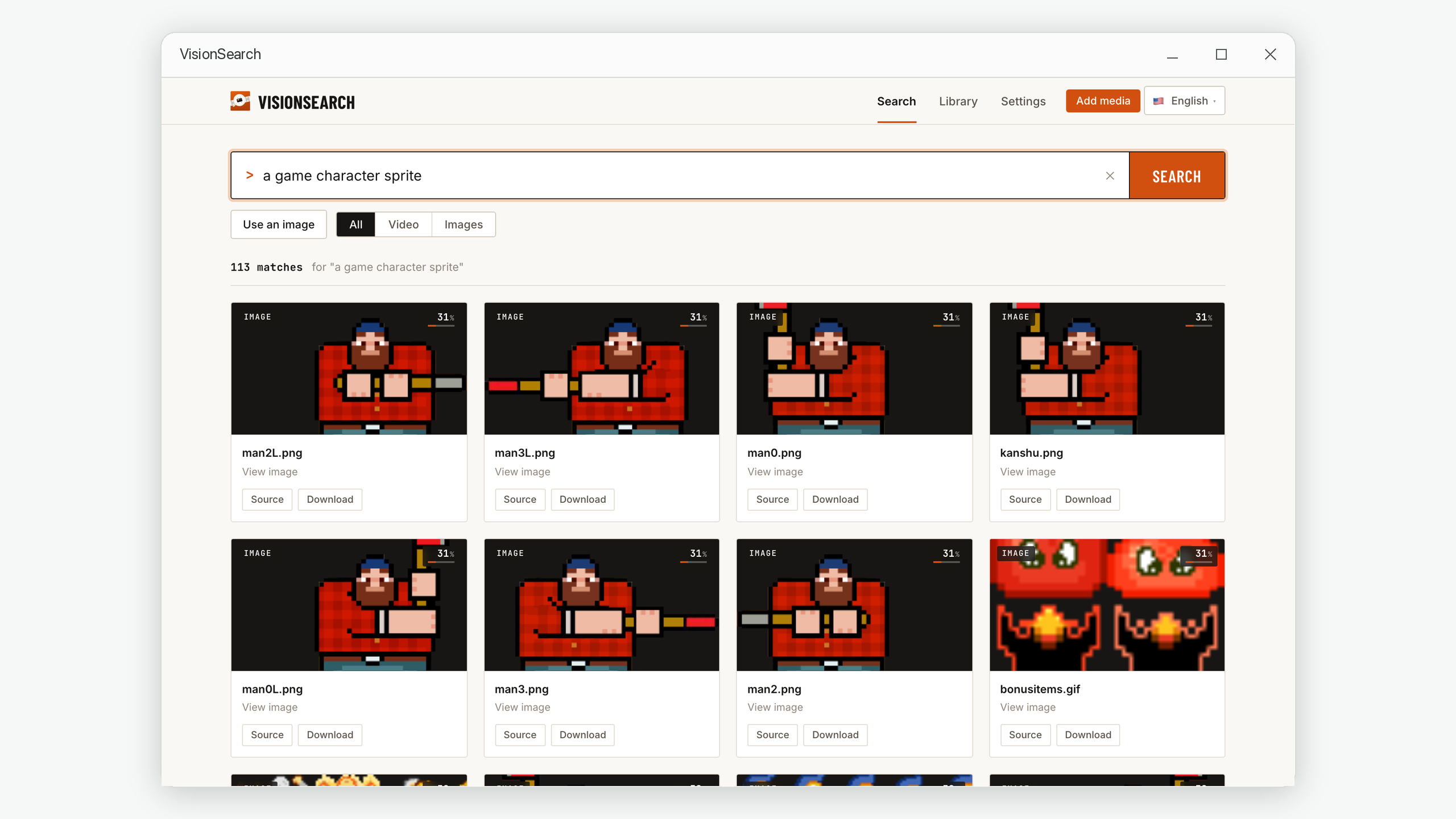
a sandy beach with umbrellas. This tests whether the tool understands the whole picture or just detects individual things in it. - Something inside a video. Search for something you know appears once, mid-file. If you get a timestamp back rather than just a filename, the video is genuinely indexed.
- Something you would never have tagged.
a person holding a phone,an empty parking space. This is the real test — it is precisely the search that all manual systems fail.
Stop thinking of your media as files to be organised and start thinking of it as content to be queried. You do not organise the web before searching it. The reason search beat directories on the internet is the same reason it beats folders on your hard drive: describing everything in advance does not scale, and asking a question does.
The one thing worth checking before you adopt any tool
Content-based search requires something to analyse your pictures. That analysis happens in one of two places, and the difference is not a technical detail — it determines who else can see your photos.
| Cloud processing | Local processing | |
|---|---|---|
| Where your files go | Uploaded to a company's servers | Never leave your computer |
| Works offline | No | Yes |
| Large video files | Slow — upload is the bottleneck | No upload at all |
| Risk if the service shuts down | Index and access lost | Unaffected |
For holiday snaps, either is fine. For family video, home security footage, medical records, client work, or anything involving children, "my files never left the machine" is a materially different guarantee from "the provider promises not to look".
Frequently asked questions
Do I need to reorganise my folders first?
No — and this is the point. Content-based search reads the pictures, so your existing folder mess is irrelevant. There is no migration step and nothing to clean up first. Files can stay exactly where they are.
Will this find text written inside an image, like a screenshot?
Partly, and it is worth understanding the difference. Visual search recognises the appearance of things, including that something looks like a document, a chat screenshot, or a spreadsheet. Reading the specific words in the image is a separate technology called OCR. Search for the look of the thing rather than the exact sentence in it.
How specific can my search be?
More specific than most people try. Single words work, but full descriptions work better, because every extra detail is another constraint the match has to satisfy. "Person in a red jacket standing on a street" is a much stronger query than "person".
Does this replace my photo backups?
No, and it should not be confused with one. Search makes your library findable; backups make it survivable. You still need copies of anything you would be upset to lose — ideally one off-site.
Your files are already there. Start finding them.
Vision Search reads your photos and videos on your own computer and makes every one of them searchable by description — no renaming, no tagging, no folder reorganisation. Nothing is uploaded; all processing stays on your own Mac or PC.
macOS 14.6 or later · Windows 10 and 11. No account required.