Memory of a video is almost entirely visual. You remember what it looked like, roughly when you saw it, maybe a line someone said. What you almost never remember is the one thing every search box asks for: its title or its filename.
The good news is that a description is enough far more often than people think. The catch is that the right technique depends completely on one question, so answer that first.
First: is the video online, or on your own computer?
These are two different problems that happen to sound the same.
| A video you saw online | A video in your own files | |
|---|---|---|
| Examples | A YouTube clip, a TikTok, a scene from a film, a news segment | Your holiday footage, a screen recording, B-roll, a security camera export, a downloaded course |
| What a search box can see | The words someone wrote about it — title, description, captions | By default, only the filename and date |
| What works | Search for things that would be written down, then ask people | Search the pictures themselves by description |
If you are not sure — "I think I downloaded it at some point" — try the own-files method first. It is faster to rule out, and if it is on your drive it will find the exact second.
Step 1: Write down what you actually remember
Before typing anything, spend one minute splitting your memory into three piles. Each pile is useful for a different kind of search, and mixing them is why vague searches fail.
- What you saw. People, clothing, animals, places, weather, colours, objects. "Two people on a white sand beach, one in a pink top, palm trees behind them."
- What you heard or read. Any line of dialogue, a song, a caption, a logo, a name on a sign, a channel watermark. Even three words are valuable.
- The context. Where you watched it (phone, TV, a friend's group chat), roughly when, and roughly how long it was.
For an online video, pile two is gold and pile one is weak. For a video in your own files, it is the other way round.
If the video is online
Search for words, not scenes
YouTube, TikTok and Google mostly match text that someone wrote: titles, descriptions, tags, captions and comments. They do not look at the picture to answer your query. So girl in pink top on a beach with palm trees only works if the uploader happened to write those words — which they almost never do.
What works instead:
- Quote any dialogue you remember. Put it in quotation marks on Google:
"we are never going back to that island". Many platforms auto-generate captions, and those captions are indexed. - Search on-screen text and names. A shop sign, a jersey number, a channel watermark, a show title in the corner. These are the most searchable details in any video.
- Describe the format, not the picture. Uploaders title videos by genre:
survival challenge island 30 daysis how a creator would actually name it;people standing on sandis not. - Add the platform and a year.
site:youtube.comon Google restricts results to YouTube. Adding a rough year, or using Google'sbefore:2022/after:2019operators, cuts out years of irrelevant results. - Use the length filter. On YouTube, the filters menu can restrict to short or long videos. If you remember it was a two-hour stream, this removes almost everything else.
Check your own history before searching the whole internet
People skip this, and it is the fastest win. If you watched it while signed in, it is probably in your YouTube watch history, which has its own search box. The same goes for liked videos, saved posts on TikTok and Instagram, and links in the group chat where someone sent it to you.
If you have a screenshot, use reverse image search
A still frame is far more precise than any description. For a video that exists online, drop the screenshot into Google Lens or another reverse image search. It will often find the video directly, or at least a page that names it. This is the right tool for "which film is this still from" — not a description search, and not a desktop app.
When search fails, ask people
Communities exist specifically for identifying half-remembered media — r/tipofmytongue on Reddit is the best known. They work remarkably well if you give them the three piles from step 1 in a structured way: what you saw, anything you heard or read, and where and when you watched it. "Funny video with a dog" gets ignored; "a golden retriever jumping off a dock in slow motion, some kind of orchestral music, saw it on Facebook around 2020, under a minute long" gets answered.
If the video is on your own computer
This is where describing the scene stops being a weak strategy and becomes the best one — as long as your search tool can see the pictures.
Your computer's file search can't. Spotlight and Windows Search look at filenames, dates and a few metadata fields. A camera calls the file IMG_4471.MOV; a download is called something like YTDown.com_YouTube_Survive-30-D...mp4. Neither contains any of the words you remember. That is why you end up opening files one by one and dragging the playhead around.
A visual search tool fixes this by looking at the video frames themselves. With Vision Search, the process is:
- Add the folders where the video could be. Point it at your Movies, Downloads or external drive folders. It records where the files are and leaves them exactly where they are — nothing is copied, renamed or moved.
- Let it index once. Each video is analysed frame by frame in the background. This is a one-time cost per file; after that, searches are instant.
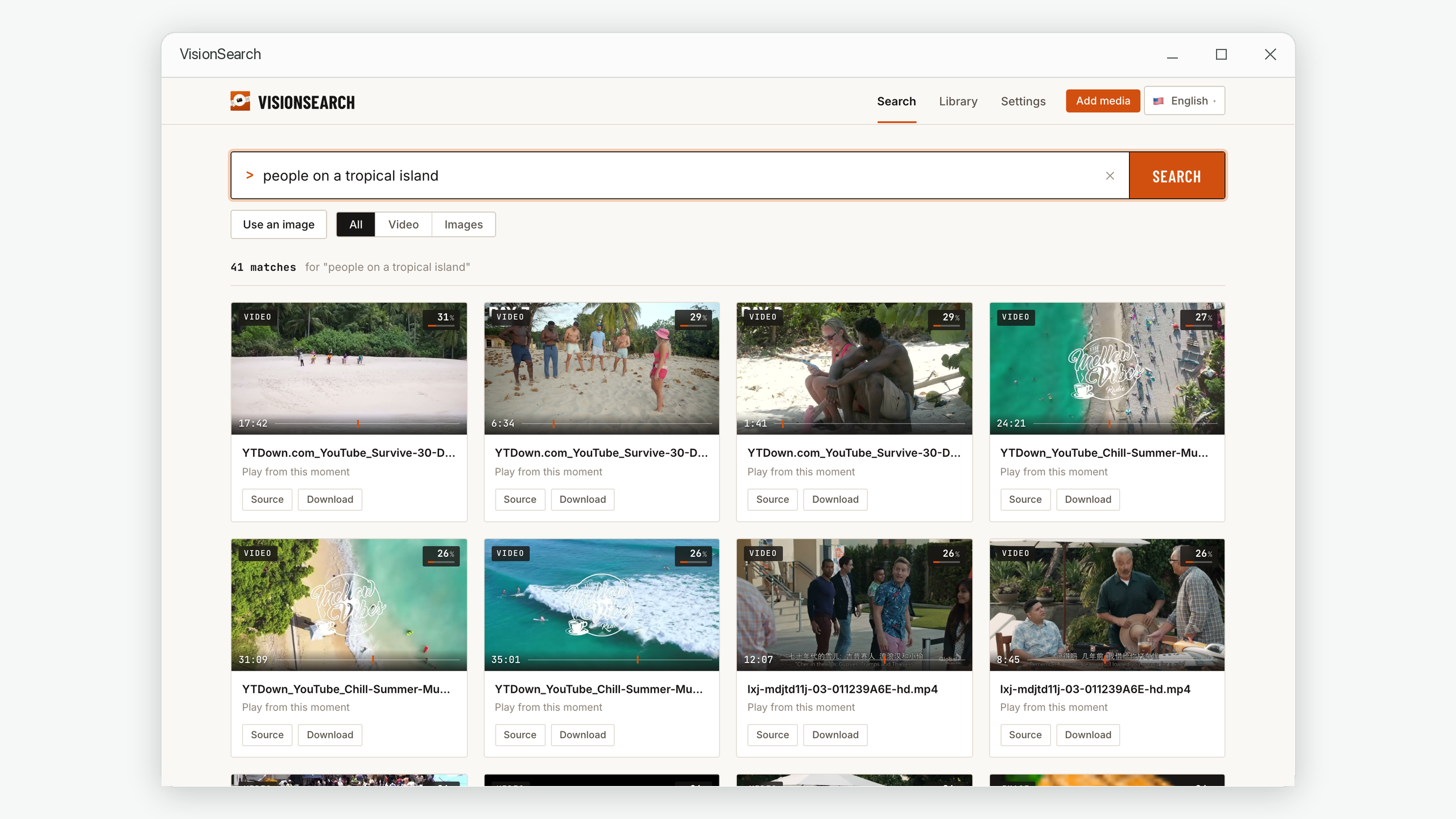
- Type what you saw. Use pile one from step 1, in plain English:
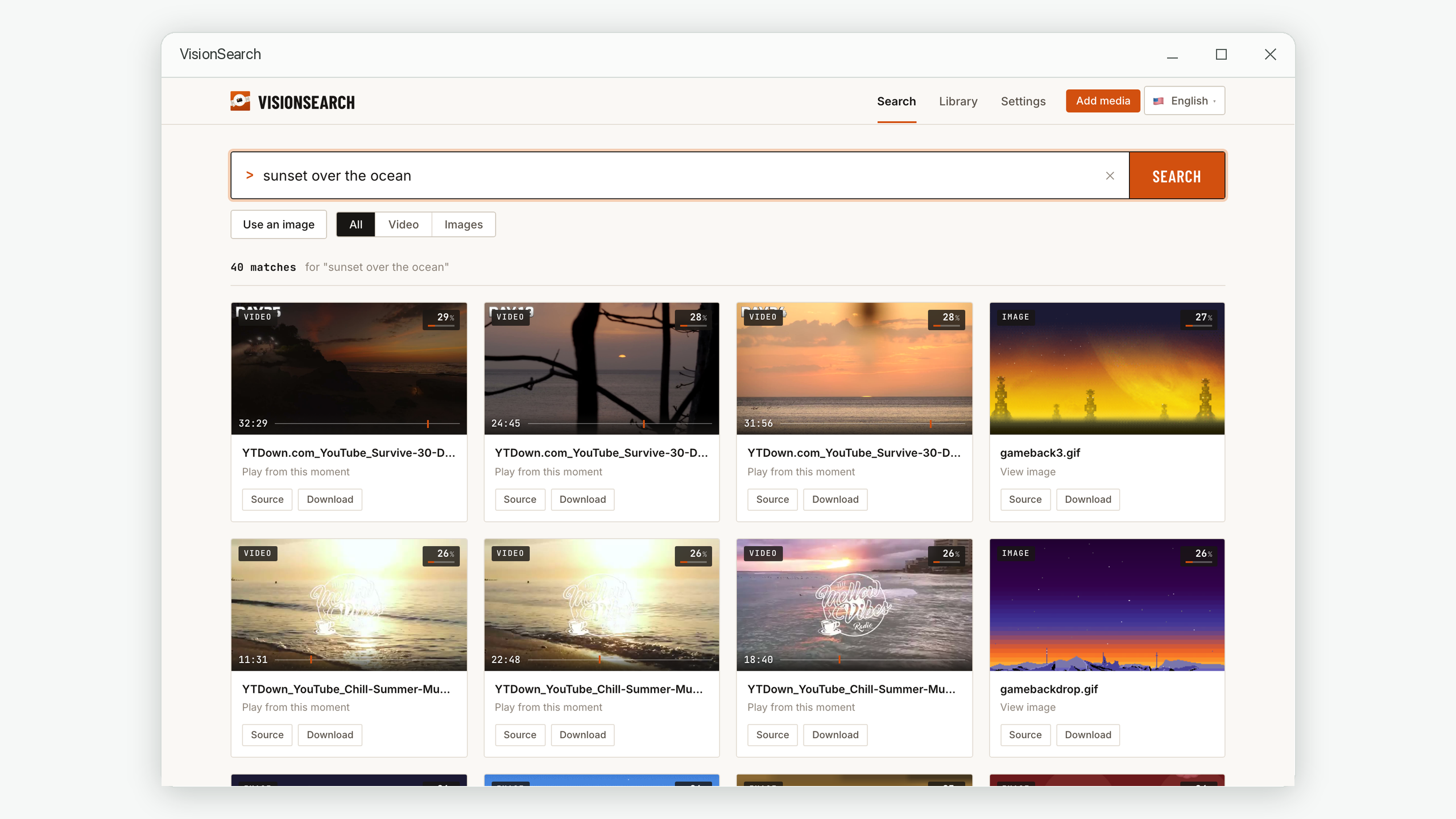
people on a tropical island,a dog jumping into a lake,sunset over the ocean. - Open the moment, not the file. Video results come with a timestamp. Clicking one plays the video from that second.
How to describe it so it's found
A visual search matches your words against what is visible. A few habits make a big difference:
| Instead of | Try | Why |
|---|---|---|
the funny bit from our trip | people laughing around a campfire | "Funny" and "our trip" are not things a camera can see |
Mum | a woman in a yellow raincoat on a pier | Describe what she was wearing and where she was |
beach | aerial view of waves on a beach | Adding viewpoint and action narrows hundreds of beach frames to a few |
la puesta de sol | sunset over the ocean | The search understands English descriptions most accurately |
Photos and videos are searched together, so a description returns stills and video moments side by side. If you know it was a video, switch the filter to Video to hide the photos.
Use Use an image instead of typing. Give it the screenshot and it finds the visually closest frames across every indexed video, with their timestamps. This is the own-files equivalent of reverse image search — useful when you have a still from a clip and need the original, full-length recording it came from.
Results are ranked by how well they fit your words, and match scores of 25–35% are normal even for the right answer, because a short phrase never fully describes a detailed picture. Scan the first row or two rather than just the first hit, and judge by the order, not the percentage.
A quick decision guide
| What you have | Where the video is | Best method |
|---|---|---|
| A line of dialogue or on-screen text | Online | Quoted Google or YouTube search |
| A screenshot | Online | Google Lens / reverse image search |
| Only a visual memory | Online | Check your watch history, then ask a community like r/tipofmytongue |
| Only a visual memory | Your own files | Describe the scene in a visual search tool |
| A screenshot | Your own files | Search with the image in a visual search tool |
Frequently asked questions
Can I find a video just by describing what happens in it?
Yes, but where the video lives decides how. Online, search engines match words, so quoted dialogue, on-screen text and specific names beat a description of the scene. On your own computer, a visual search tool can match a plain description like a dog running on a beach directly against the frames.
Why doesn't describing the scene work on YouTube?
YouTube search mostly looks at the words the uploader wrote and the captions, not at the pictures. A scene description only works if those exact words happen to be in the title or description. Search for what would be written down instead.
Does Vision Search search YouTube or the internet?
No. It only searches videos and photos you have added from your own computer or drives, and everything runs locally — nothing is uploaded. For a video that only exists online, use the online methods above.
How long does it take before I can search my files?
Indexing runs in the background and depends on how much footage you have and how fast your computer is. It happens once per file. You can start searching while it is still working — whatever has been indexed so far is already searchable.
Describe it. Land on the exact second.
Vision Search lets you find any moment in your own videos and photos by describing what you saw — with everything processed on your computer and your files left exactly where they are.
macOS 14.6 or later · Windows 10 and 11. No account required.